Most database examples stop exactly where the interesting part starts. You get a form with a TFDConnection dropped on it, a hardcoded password, a grid, and a screenshot — and then you are on your own for everything that makes it an actual program: where the settings live, who creates the database, what happens when the server is not running, and how you build the thing without clicking around in an IDE.
So let's do the whole thing instead. By the end of this post you will have a PostgreSQL server running in a container, a Delphi command-line application in four source files that creates its own database, creates two tables, inserts rows inside a transaction, reads them back with a join, and prints a formatted report. Every file appears here in full. Every command is one you can paste into a Windows terminal.
There is one honest snag between you and that output — a single DLL the container does not give you — and it gets its own section rather than a footnote, because it is the thing that stops most people on their first try.
Here is the payoff: about 480 lines of Object Pascal, one compose.yaml, and four commands, and you own the whole stack from the port number up.
What we are building
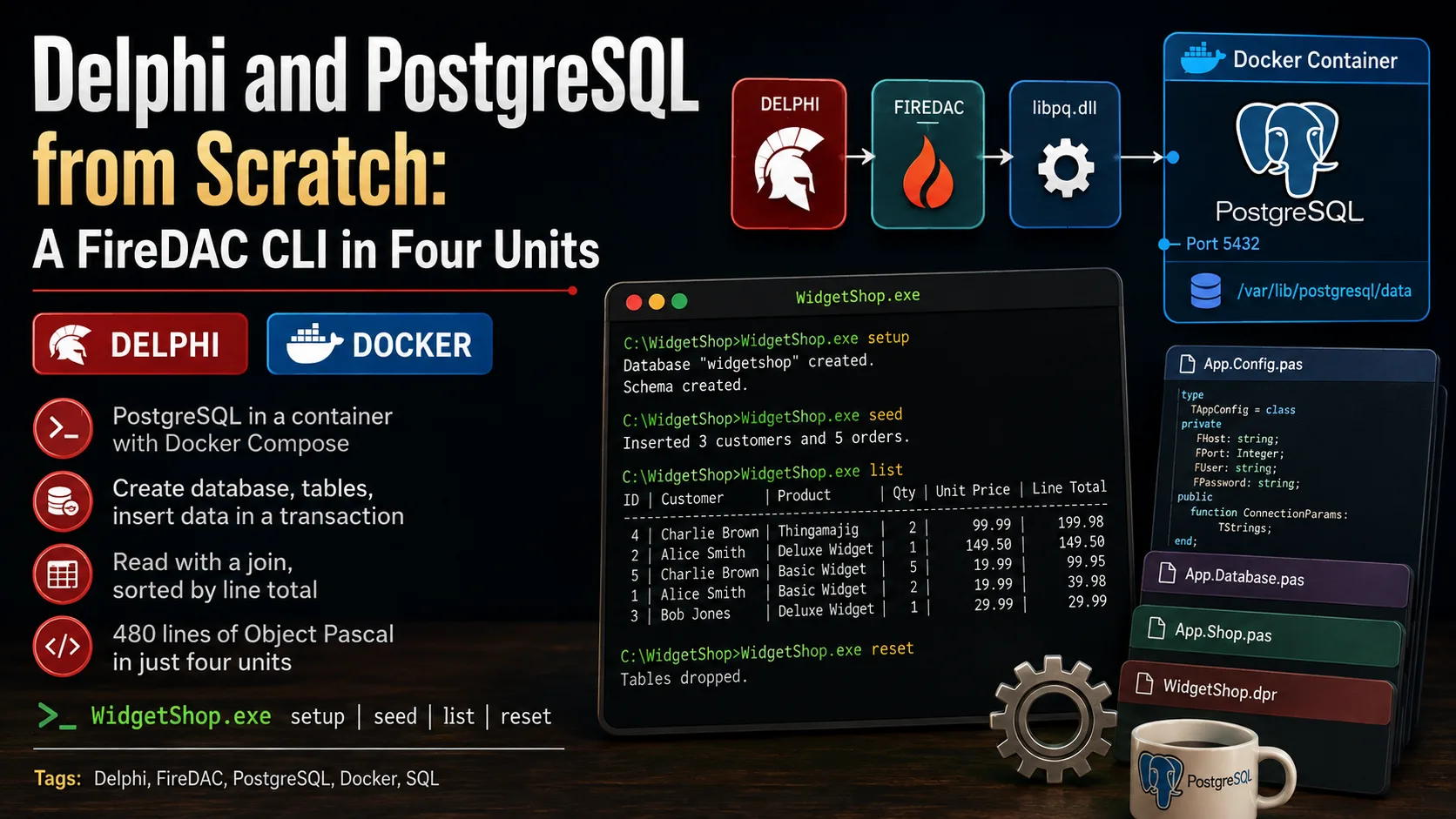
The finished program is a small command-line tool called WidgetShop, and it does four things, one per command. Seeing the shape of it first makes the code that follows read much faster.
WidgetShop setup    create the database and the tables
WidgetShop seed     insert sample customers and orders
WidgetShop list     print every order, biggest first
WidgetShop reset    drop the tables again
Four moving parts have to line up for that to work, and it is worth naming them before we build any of them.
Read that left to right: your program calls FireDAC, FireDAC calls libpq.dll, and libpq speaks across the published port to PostgreSQL inside the container. The compose file above the container is what conjures the whole right-hand side into existence. Three of those four boxes arrive for free. The middle one — the client library — is the piece you have to put there yourself, which is why it gets its own step below.
If containers are new to you, the Docker series on this site walks through installing Docker Desktop and running a first container, and Part 2 shows the shortest possible Postgres-plus-FireDAC round trip with a single docker run. This post is the version you would actually commit to a repository.
Step 1 — Start PostgreSQL with a compose file
Rather than a paragraph of docker run flags that lives only in your shell history, the server gets described once in a file that sits next to the source code. Create a folder for the project, and put this in it as compose.yaml.
# PostgreSQL for the WidgetShop example.
#
#   docker compose up -d      start the server in the background
#   docker compose ps         see whether it is healthy
#   docker compose down       stop it, keep the data
#   docker compose down -v    stop it and delete the data as well
#
# The application database ("widgetshop") is NOT created here on purpose --
# "WidgetShop.exe setup" creates it, so you can watch it happen.

services:
  db:
    image: postgres:17
    container_name: widgetshop-db
    environment:
      # The only variable the official image requires.
      POSTGRES_PASSWORD: secret
    ports:
      # host:container -- this one line is what lets Delphi reach the server.
      - "5432:5432"
    volumes:
      # Named volume: the data survives "docker compose down".
      - pgdata:/var/lib/postgresql/data
    healthcheck:
      # pg_isready ships inside the image; "healthy" means "accepting connections".
      test: ["CMD-SHELL", "pg_isready -U postgres"]
      interval: 5s
      timeout: 5s
      retries: 10
    restart: unless-stopped

volumes:
  pgdata:
Most of that will look familiar if you have met Compose before, but three lines deserve a proper introduction. POSTGRES_PASSWORD is the one setting the official postgres image insists on — its documentation is blunt about it: "This environment variable is required for you to use the PostgreSQL image. It must not be empty or undefined." The ports entry publishes container port 5432 onto your machine's port 5432, and that single mapping is the entire bridge between Delphi and the database. The named volume pgdata is what keeps your rows alive across a docker compose down, and it is mounted at the specific path the image asks for.
That mount path is worth a note, because it recently changed and a stale copy-paste will bite you.
The healthcheck block is the small luxury that makes this file worth committing. It runs pg_isready — a utility that ships inside the image and, in PostgreSQL's own words, "is a utility for checking the connection status of a PostgreSQL database server" — every five seconds. Its exit status is the whole answer: 0 means the server is accepting connections, 1 means it is still rejecting them, which is exactly what a database does for the first second or two after it starts. Docker's Compose file reference describes healthcheck as declaring "a check that's run to determine whether or not the service containers are 'healthy'", and that status is what turns "the container is running" into the much more useful "the database will actually answer you."
Bring it up
With the file saved, one command starts everything, creating the network and the volume along the way.
docker compose up -dConfirm it is healthy
Rather than guessing, ask Compose for the status of the services in this stack.
docker compose psYou are looking for a STATUS column that reads Up ... (healthy) rather than Up ... (health: starting). That word healthy is the healthcheck above reporting back, and it is your signal that a connection attempt will succeed rather than time out.
Step 2 — The one thing the container does not give you
Here is the snag, and it is better met now than as a cryptic error at three in the morning. FireDAC's native PostgreSQL driver does not speak the PostgreSQL wire protocol itself. It delegates to libpq, PostgreSQL's official C client library, which arrives on Windows as libpq.dll plus a handful of dependencies. The container gave you the server. Your Delphi program runs on the host, and it needs the client.
Getting the DLLs is a one-time chore. They ship inside the standard PostgreSQL Windows download, and you do not have to install a server to get them: run the installer and select only the command-line tools component, then copy libpq.dll and its companions next to your executable or onto your PATH. Once they are in place you will never think about them again.
To check whether your machine already has them, ask Windows where they are:
where libpq.dllNo output means they are not on your PATH yet. That is a fixable, one-time state — not a mystery.
Step 3 — The project, four files at a time
With the server running and the client library in place, the Delphi side is ordinary FireDAC. Here is how the code is split, and why.
| File | What it owns |
|---|---|
App.Config.pas | Where the server is and who we log in as |
App.Database.pas | Creating the database, opening connections, the schema |
App.Shop.pas | Writing rows and reading them back |
WidgetShop.dpr | Command dispatch and every line of console output |
That split is not ceremony for its own sake. It gives the program a single direction of dependency, which is the property that makes code easy to change later.
Follow the arrows and one rule falls out: nothing ever points upward. App.Shop has no idea a console exists, so the day this becomes a VCL form or a REST service, that unit does not change at all. App.Config sits at the bottom because everything needs to know where the server is, and nothing needs to know anything about App.Config.
App.Config.pas — the settings, in exactly one place
The first unit answers one question: where is the server, and who are we? Putting that in its own file means there is exactly one place to look when a connection fails.
unit App.Config;

{ Connection settings for the PostgreSQL server started by compose.yaml.

  Everything the application needs to find the database lives here and nowhere
  else, so there is exactly one place to look when a connection fails. }

interface

uses
  FireDAC.Comp.Client;

type
  TAppConfig = record
    Host: string;
    Port: string;
    UserName: string;
    Password: string;
    /// The database this application owns and creates.
    Database: string;
    /// The database we log in to in order to create the one above.
    MaintenanceDatabase: string;
    /// Read the settings, letting environment variables override the defaults.
    class function Load: TAppConfig; static;
  end;

/// Point AConnection at ADatabase on the configured server.
procedure ConfigureConnection(AConnection: TFDConnection;
  const AConfig: TAppConfig; const ADatabase: string);

implementation

uses
  System.SysUtils;

function EnvOrDefault(const AName, ADefault: string): string;
begin
  Result := GetEnvironmentVariable(AName);
  if Result = '' then
    Result := ADefault;
end;

class function TAppConfig.Load: TAppConfig;
begin
  Result.Host := EnvOrDefault('WIDGETSHOP_HOST', 'localhost');
  Result.Port := EnvOrDefault('WIDGETSHOP_PORT', '5432');
  Result.UserName := EnvOrDefault('WIDGETSHOP_USER', 'postgres');
  Result.Password := EnvOrDefault('WIDGETSHOP_PASSWORD', 'secret');
  Result.Database := EnvOrDefault('WIDGETSHOP_DB', 'widgetshop');
  // Always present on a fresh PostgreSQL server, and never dropped.
  Result.MaintenanceDatabase := 'postgres';
end;

procedure ConfigureConnection(AConnection: TFDConnection;
  const AConfig: TAppConfig; const ADatabase: string);
begin
  AConnection.Params.Clear;
  AConnection.Params.DriverID := 'PG';
  AConnection.Params.Values['Server'] := AConfig.Host;
  AConnection.Params.Values['Port'] := AConfig.Port;
  AConnection.Params.Values['Database'] := ADatabase;
  AConnection.Params.Values['User_Name'] := AConfig.UserName;
  AConnection.Params.Values['Password'] := AConfig.Password;
  // A console application must never pop up a login dialog: fail loudly instead.
  AConnection.LoginPrompt := False;
end;

end.
Three details are doing real work here. DriverID := 'PG' is how FireDAC picks the PostgreSQL driver — every engine has a short identifier, and the parameter names around it (Server, Port, Database, User_Name, Password) are the ones Embarcadero documents for connecting to PostgreSQL. LoginPrompt := False matters more than it looks: a console application that tries to show a login dialog will either hang or crash, and failing with a clear exception is far friendlier. And EnvOrDefault means the same compiled executable can be pointed at a colleague's server with set WIDGETSHOP_HOST=... instead of a rebuild.
Notice too that TAppConfig carries two database names. That second one is the key to the next unit.
App.Database.pas — creating a database you are not connected to
Now the chicken-and-egg problem: to run CREATE DATABASE widgetshop, you have to be connected to PostgreSQL — but you cannot connect to widgetshop, because it does not exist yet. The way out is a database that is always there.
The picture is the whole trick: the first connection goes to postgres, a database every server has and nobody drops, purely so we have somewhere to stand while issuing CREATE DATABASE. The second connection goes to the database we just made, and everything else happens there. Here is the unit that does it.
unit App.Database;

{ Everything that brings the database itself into existence: creating it,
  opening a connection to it, and creating or dropping its tables. }

interface

uses
  FireDAC.Comp.Client,
  App.Config;

/// Create the application database unless it is already there.
/// Returns True when this call is the one that created it.
function EnsureDatabase(const AConfig: TAppConfig): Boolean;

/// Open a connection to the application database. The caller owns the result.
function OpenAppConnection(const AConfig: TAppConfig): TFDConnection;

/// Create the customers and orders tables. Safe to run repeatedly.
procedure CreateSchema(AConnection: TFDConnection);

/// Drop both tables: orders first, because it references customers.
procedure DropSchema(AConnection: TFDConnection);

implementation

uses
  System.SysUtils;

{ A database or table name cannot be passed as a query parameter, so it has to
  be pasted into the SQL text. That is exactly the shape SQL injection takes,
  so we refuse anything that is not a plain lower-case identifier. }
procedure ValidateIdentifier(const AName: string);
var
  C: Char;
begin
  if AName = '' then
    raise Exception.Create('Database name must not be empty.');
  for C in AName do
    if not CharInSet(C, ['a'..'z', '0'..'9', '_']) then
      raise Exception.CreateFmt(
        'Refusing to build SQL from %s: lower-case letters, digits and ' +
        'underscores only.', [QuotedStr(AName)]);
end;

function DatabaseExists(AConnection: TFDConnection; const AName: string): Boolean;
begin
  // pg_database is PostgreSQL's own catalog of every database on the server.
  Result := AConnection.ExecSQLScalar(
    'SELECT count(*) FROM pg_database WHERE datname = :name', [AName]) > 0;
end;

function EnsureDatabase(const AConfig: TAppConfig): Boolean;
var
  Conn: TFDConnection;
begin
  ValidateIdentifier(AConfig.Database);

  Conn := TFDConnection.Create(nil);
  try
    // You cannot connect to a database that does not exist yet, so we log in
    // to the maintenance database and create ours from there.
    ConfigureConnection(Conn, AConfig, AConfig.MaintenanceDatabase);
    Conn.Connected := True;

    Result := not DatabaseExists(Conn, AConfig.Database);
    if Result then
      Conn.ExecSQL('CREATE DATABASE ' + AConfig.Database);
  finally
    Conn.Free;
  end;
end;

function OpenAppConnection(const AConfig: TAppConfig): TFDConnection;
begin
  Result := TFDConnection.Create(nil);
  try
    ConfigureConnection(Result, AConfig, AConfig.Database);
    Result.Connected := True;
  except
    Result.Free;
    raise;
  end;
end;

procedure CreateSchema(AConnection: TFDConnection);
begin
  AConnection.ExecSQL(
    'CREATE TABLE IF NOT EXISTS customers ('    +
    '  id         SERIAL      PRIMARY KEY,'     +
    '  name       TEXT        NOT NULL,'        +
    '  email      TEXT        NOT NULL UNIQUE,' +
    '  created_at TIMESTAMPTZ NOT NULL DEFAULT now())');

  AConnection.ExecSQL(
    'CREATE TABLE IF NOT EXISTS orders ('  +
    '  id          SERIAL        PRIMARY KEY,' +
    '  customer_id INTEGER       NOT NULL'     +
    '                REFERENCES customers(id) ON DELETE CASCADE,' +
    '  product     TEXT          NOT NULL,'    +
    '  quantity    INTEGER       NOT NULL CHECK (quantity > 0),' +
    '  unit_price  NUMERIC(10,2) NOT NULL,'    +
    '  ordered_at  TIMESTAMPTZ   NOT NULL DEFAULT now())');
end;

procedure DropSchema(AConnection: TFDConnection);
begin
  AConnection.ExecSQL('DROP TABLE IF EXISTS orders');
  AConnection.ExecSQL('DROP TABLE IF EXISTS customers');
end;

end.
A few things in there repay a closer look. DatabaseExists queries pg_database, PostgreSQL's own catalog of every database on the server, which is a much better test than trying to connect and catching the failure. ValidateIdentifier exists because a database name is one of the few things SQL will not let you pass as a parameter — it has to be concatenated into the statement text, and concatenation is precisely where injection lives, so the name is checked against a deliberately boring character set first. And OpenAppConnection frees the connection if Connected := True throws, so a server that is down does not also leak an object.
The schema itself is small but not toy-like. SERIAL gives each table an auto-incrementing integer key. REFERENCES customers(id) ON DELETE CASCADE makes the database itself enforce that an order belongs to a real customer, and clean up orders when a customer goes. CHECK (quantity > 0) rejects nonsense before it is ever stored. NUMERIC(10,2) is the right type for money — it stores decimal digits exactly, which is not something a floating-point type can promise.
There is one PostgreSQL rule sitting quietly underneath EnsureDatabase, and it explains an error message you will eventually meet.
App.Shop.pas — writing rows and reading them back
This unit is the one that touches actual data, and it deliberately contains no output whatsoever. It hands back records; the program decides what to do with them.
unit App.Shop;

{ The data the application actually cares about: writing sample rows and
  reading them back. No Writeln in here - this unit returns data, the program
  decides how to show it. }

interface

uses
  FireDAC.Comp.Client;

type
  /// One order joined to the customer who placed it.
  TOrderLine = record
    OrderId: Integer;
    Customer: string;
    Product: string;
    Quantity: Integer;
    UnitPrice: Currency;
    LineTotal: Currency;
  end;

/// Insert two customers and their orders. Returns the number of orders written.
function SeedSampleData(AConnection: TFDConnection): Integer;

/// Read every order together with its customer, most valuable line first.
function FetchOrderLines(AConnection: TFDConnection): TArray<TOrderLine>;

implementation

uses
  System.Generics.Collections,
  FireDAC.Stan.Param;

function InsertCustomer(AConnection: TFDConnection;
  const AName, AEmail: string): Integer;
var
  Qry: TFDQuery;
begin
  Qry := TFDQuery.Create(nil);
  try
    Qry.Connection := AConnection;
    // RETURNING hands the generated id straight back, so there is no second
    // round trip to ask "what number did you just give me?".
    Qry.SQL.Text :=
      'INSERT INTO customers (name, email) VALUES (:name, :email) RETURNING id';
    Qry.ParamByName('name').AsString := AName;
    Qry.ParamByName('email').AsString := AEmail;
    Qry.Open;
    Result := Qry.Fields[0].AsInteger;
  finally
    Qry.Free;
  end;
end;

procedure InsertOrder(AConnection: TFDConnection; ACustomerId: Integer;
  const AProduct: string; AQuantity: Integer; AUnitPrice: Currency);
begin
  AConnection.ExecSQL(
    'INSERT INTO orders (customer_id, product, quantity, unit_price) ' +
    'VALUES (:customer_id, :product, :quantity, :unit_price)',
    [ACustomerId, AProduct, AQuantity, AUnitPrice]);
end;

function SeedSampleData(AConnection: TFDConnection): Integer;
var
  AdaId, GraceId: Integer;
begin
  // Six inserts that belong together: either all of them land, or none do.
  AConnection.StartTransaction;
  try
    AdaId := InsertCustomer(AConnection, 'Ada Lovelace', 'ada@example.com');
    GraceId := InsertCustomer(AConnection, 'Grace Hopper', 'grace@example.com');

    InsertOrder(AConnection, AdaId, 'Analytical Engine Gear', 4, 129.50);
    InsertOrder(AConnection, AdaId, 'Punch Card Set', 12, 3.75);
    InsertOrder(AConnection, GraceId, 'Nanosecond Wire', 1, 11.80);
    InsertOrder(AConnection, GraceId, 'COBOL Manual', 2, 42.00);

    AConnection.Commit;
    Result := 4;
  except
    AConnection.Rollback;
    raise;
  end;
end;

function FetchOrderLines(AConnection: TFDConnection): TArray<TOrderLine>;
var
  Qry: TFDQuery;
  Lines: TList<TOrderLine>;
  Line: TOrderLine;
begin
  Lines := TList<TOrderLine>.Create;
  try
    Qry := TFDQuery.Create(nil);
    try
      Qry.Connection := AConnection;
      Qry.Open(
        'SELECT o.id, c.name AS customer, o.product, o.quantity, ' +
        '       o.unit_price, o.quantity * o.unit_price AS line_total ' +
        'FROM orders o ' +
        'JOIN customers c ON c.id = o.customer_id ' +
        'ORDER BY line_total DESC, o.id');

      while not Qry.Eof do
      begin
        Line.OrderId   := Qry.FieldByName('id').AsInteger;
        Line.Customer  := Qry.FieldByName('customer').AsString;
        Line.Product   := Qry.FieldByName('product').AsString;
        Line.Quantity  := Qry.FieldByName('quantity').AsInteger;
        Line.UnitPrice := Qry.FieldByName('unit_price').AsCurrency;
        Line.LineTotal := Qry.FieldByName('line_total').AsCurrency;
        Lines.Add(Line);
        Qry.Next;
      end;
    finally
      Qry.Free;
    end;
    Result := Lines.ToArray;
  finally
    Lines.Free;
  end;
end;

end.
Four techniques in that unit are worth carrying into your own code. Every value goes in as a parameter — the :name and :customer_id placeholders — so the driver sends properly typed values instead of you gluing strings together and hoping nobody is called O'Brien. RETURNING id asks PostgreSQL to hand back the key it just generated as part of the same statement, which is why InsertCustomer calls Open rather than ExecSQL: a statement with RETURNING produces a result set. The whole seed runs in one transaction, so a failure on the fifth insert cannot leave you with two customers and three orders; Rollback then raise undoes the work and still lets the caller see what went wrong. And the SELECT does its arithmetic and its sorting in the database — o.quantity * o.unit_price AS line_total is computed by PostgreSQL, and ORDER BY line_total DESC sorts by that computed column, which is work Delphi never has to repeat.
The split between ExecSQL and Open is the one rule that trips up newcomers, so it is worth stating plainly: ExecSQL is for statements that change things and return no rows, while TFDQuery.Open is for statements that hand you a result set to walk.
WidgetShop.dpr — the program itself
The last file is the only one that talks to a human. It parses the command, calls into the units above, and prints.
program WidgetShop;

{ A tiny PostgreSQL client for the command line.

    WidgetShop setup    create the database and the tables
    WidgetShop seed     insert sample customers and orders
    WidgetShop list     print every order, biggest first
    WidgetShop reset    drop the tables again

  The database it talks to is the one started by compose.yaml next to this file. }

{$APPTYPE CONSOLE}

uses
  System.SysUtils,
  FireDAC.Stan.Intf,
  FireDAC.Stan.Option,
  FireDAC.Stan.Error,
  FireDAC.Stan.Def,
  FireDAC.Stan.Pool,
  FireDAC.Stan.Async,
  FireDAC.Stan.Param,
  FireDAC.DatS,
  FireDAC.DApt,
  FireDAC.DApt.Intf,
  FireDAC.Phys,
  FireDAC.Phys.Intf,
  FireDAC.Phys.PG,
  FireDAC.Phys.PGDef,
  FireDAC.UI.Intf,
  FireDAC.ConsoleUI.Wait,
  FireDAC.Comp.Client,
  FireDAC.Comp.DataSet,
  App.Config in 'App.Config.pas',
  App.Database in 'App.Database.pas',
  App.Shop in 'App.Shop.pas';

const
  LineWidth = 71;

procedure PrintUsage;
begin
  Writeln('WidgetShop - a tiny PostgreSQL client written in Delphi');
  Writeln;
  Writeln('Usage: WidgetShop <command>');
  Writeln;
  Writeln('  setup   create the database and the tables');
  Writeln('  seed    insert sample customers and orders');
  Writeln('  list    print every order, biggest first');
  Writeln('  reset   drop the tables again');
end;

procedure RunSetup(const AConfig: TAppConfig);
var
  Conn: TFDConnection;
begin
  if EnsureDatabase(AConfig) then
    Writeln('Created database "', AConfig.Database, '".')
  else
    Writeln('Database "', AConfig.Database, '" already exists.');

  Conn := OpenAppConnection(AConfig);
  try
    CreateSchema(Conn);
    Writeln('Tables "customers" and "orders" are ready.');
  finally
    Conn.Free;
  end;
end;

procedure RunSeed(const AConfig: TAppConfig);
var
  Conn: TFDConnection;
begin
  Conn := OpenAppConnection(AConfig);
  try
    Writeln(Format('Inserted %d orders for 2 customers.',
      [SeedSampleData(Conn)]));
  finally
    Conn.Free;
  end;
end;

procedure RunList(const AConfig: TAppConfig);
var
  Conn: TFDConnection;
  Lines: TArray<TOrderLine>;
  Line: TOrderLine;
  Total: Currency;
begin
  Conn := OpenAppConnection(AConfig);
  try
    Lines := FetchOrderLines(Conn);
  finally
    Conn.Free;
  end;

  if Length(Lines) = 0 then
  begin
    Writeln('No orders yet - run "WidgetShop seed" first.');
    Exit;
  end;

  Writeln(Format('%-4s %-14s %-24s %4s %10s %10s',
    ['#', 'CUSTOMER', 'PRODUCT', 'QTY', 'PRICE', 'TOTAL']));
  Writeln(StringOfChar('-', LineWidth));

  Total := 0;
  for Line in Lines do
  begin
    Writeln(Format('%-4d %-14s %-24s %4d %10.2f %10.2f',
      [Line.OrderId, Line.Customer, Line.Product,
       Line.Quantity, Line.UnitPrice, Line.LineTotal]));
    Total := Total + Line.LineTotal;
  end;

  Writeln(StringOfChar('-', LineWidth));
  Writeln(Format('%-60s %10.2f', ['TOTAL ORDER VALUE', Total]));
end;

procedure RunReset(const AConfig: TAppConfig);
var
  Conn: TFDConnection;
begin
  Conn := OpenAppConnection(AConfig);
  try
    DropSchema(Conn);
    Writeln('Tables dropped. The database itself is still there.');
  finally
    Conn.Free;
  end;
end;

var
  Config: TAppConfig;
  Command: string;
begin
  try
    Config := TAppConfig.Load;

    if ParamCount = 0 then
      PrintUsage
    else
    begin
      Command := LowerCase(ParamStr(1));
      if Command = 'setup' then
        RunSetup(Config)
      else if Command = 'seed' then
        RunSeed(Config)
      else if Command = 'list' then
        RunList(Config)
      else if Command = 'reset' then
        RunReset(Config)
      else
      begin
        Writeln(ErrOutput, 'Unknown command: ', Command);
        Writeln;
        PrintUsage;
        ExitCode := 2;
      end;
    end;
  except
    on E: Exception do
    begin
      // A CLI reports failure on stderr and with a non-zero exit code, so a
      // build script or a scheduled task can tell that something went wrong.
      Writeln(ErrOutput, E.ClassName, ': ', E.Message);
      ExitCode := 1;
    end;
  end;
end.
That uses clause is long, and it is long for a reason worth knowing. When you drop components on a form, the IDE quietly adds these units for you; in a console program written by hand, you add them yourself. Two of them are the ones people forget. FireDAC.Phys.PG and FireDAC.Phys.PGDef are what actually register the PostgreSQL driver — without them, DriverID := 'PG' fails at runtime with a driver-not-found error even though everything compiles. And FireDAC.ConsoleUI.Wait is the console-friendly replacement for the dialog-based waiting UI a VCL application would use; leave it out and FireDAC complains that it has no UI to work with.
The final block is small, but it is what separates a command-line tool from a program that happens to print things. Errors go to ErrOutput rather than standard output, so a caller can separate the report from the complaint. ExitCode is 1 for a failure and 2 for an unknown command, so a batch file, a scheduled task, or a CI job can branch on the result instead of scraping text.
An opinion: let the app create its own database
Here is a choice I made deliberately, and I want to be upfront that it is a preference rather than a fact. The compose file could have created the database for us — the official image reads a POSTGRES_DB variable that "can be used to define a different name for the default database that is created when the image is first started." One line, and widgetshop would exist before Delphi ever ran. I did not do that, and for a program like this one I think the version above is better.
My reasoning is that a tool which can bootstrap itself is a tool you can hand to someone else. WidgetShop setup works against a container, against a colleague's server, against a fresh cloud instance — anywhere the credentials get it in the door. The moment the database's existence becomes a property of your compose file, the application only runs in the one environment that compose file describes, and "it works on my machine" has a new place to hide.
That argument has real limits, though, and pretending otherwise would be doing you a disservice.
So use this pattern where it fits, and know exactly when to abandon it. That boundary is the useful part.
Step 4 — Build it
You can open WidgetShop.dproj in the IDE and press F9 like any other project, and that is the shortest path. But building from a terminal is worth knowing too, because it is what a build server does, and it turns "does this still compile?" into a five-second question.
Build from a terminal
RAD Studio ships a batch file that puts the compiler and its search paths into your environment, and after that MSBuild does the work. Run these two lines from the project folder in cmd.exe:
call "C:\Program Files (x86)\Embarcadero\Studio\37.0\bin\rsvars.bat"
msbuild WidgetShop.dproj /t:Build /p:Config=Release /p:Platform=Win64
Adjust 37.0 to your RAD Studio version, and swap Win64 for Win32 if that is your target — just remember that whichever you pick has to match the bitness of the libpq.dll on your PATH. The executable lands in .\Win64\Release\WidgetShop.exe.
The project file itself is ordinary MSBuild XML. The part you would actually edit by hand is the list of source files, which is where those three units get pulled in:
<ItemGroup>
    <DelphiCompile Include="$(MainSource)">
        <MainSource>MainSource</MainSource>
    </DelphiCompile>
    <DCCReference Include="App.Config.pas"/>
    <DCCReference Include="App.Database.pas"/>
    <DCCReference Include="App.Shop.pas"/>
    <BuildConfiguration Include="Base">
        <Key>Base</Key>
    </BuildConfiguration>
    <BuildConfiguration Include="Debug">
        <Key>Cfg_2</Key>
        <CfgParent>Base</CfgParent>
    </BuildConfiguration>
    <BuildConfiguration Include="Release">
        <Key>Cfg_1</Key>
        <CfgParent>Base</CfgParent>
    </BuildConfiguration>
</ItemGroup>
The complete .dproj — Win32 and Win64 platforms, Debug and Release configurations — ships alongside the source files rather than being reprinted here, because a hundred lines of build XML would drown the parts of this post that actually teach something.
Step 5 — Run it
With the container healthy and the executable built, the three commands run in the order you would expect. Start with setup.
WidgetShop.exe setupCreated database "widgetshop".
Tables "customers" and "orders" are ready.
Run it a second time and the first line changes to Database "widgetshop" already exists. — that is DatabaseExists doing its job, and it is what makes the command safe to put in a script. Next, put some rows in.
WidgetShop.exe seedInserted 4 orders for 2 customers.
And finally, read them back out, joined to their customers and sorted by value.
WidgetShop.exe list# CUSTOMER PRODUCT QTY PRICE TOTAL
-----------------------------------------------------------------------
1 Ada Lovelace Analytical Engine Gear 4 129.50 518.00
4 Grace Hopper COBOL Manual 2 42.00 84.00
2 Ada Lovelace Punch Card Set 12 3.75 45.00
3 Grace Hopper Nanosecond Wire 1 11.80 11.80
-----------------------------------------------------------------------
TOTAL ORDER VALUE 658.80
Notice the order: row 4 sits above row 2, because the sort is by line total, not by id. PostgreSQL computed quantity * unit_price and ordered by it, and Delphi simply printed what came back. One small warning about that output — Format's %.2f uses the decimal separator from the machine's regional settings, so on a German or French Windows those numbers print with commas. If you ever need the output to be byte-identical everywhere, because something downstream parses it, pass an explicit TFormatSettings to Format instead of letting it read the locale.
When you are finished, tearing down is symmetric. WidgetShop.exe reset drops the tables but keeps the database; docker compose down stops the server but keeps the volume; and docker compose down -v deletes the volume too, taking every row with it.
When it goes wrong
Four errors account for nearly every failed first run, and all four are quick once you recognize them. Here is what each one is really telling you.
| What you see | What it actually means |
|---|---|
The PG driver cannot be loaded, or libpq.dll is not found | libpq.dll is missing from the PATH, or its bitness does not match your build |
Connection refused on localhost:5432 | The container is not running, or not healthy yet — check docker compose ps |
Password authentication failed for user postgres | The password in App.Config does not match POSTGRES_PASSWORD in compose.yaml |
CREATE DATABASE cannot run inside a transaction block | The statement went out on a connection with an open transaction |
The second one has a particularly common variant: the container is up, but the database is still starting, so the connection is refused for a second or two. That is precisely what the healthcheck in the compose file is there to tell you about — wait for (healthy), not just for Up.
The same database welcomes other tools
Nothing the server is doing here is Delphi-specific, and that is a genuine strength rather than a caveat. It is a standard PostgreSQL server on a standard port, so anything that speaks the protocol is equally welcome — which also means you are never locked in.
FireDAC earns its place by being right there in the box, with strong PostgreSQL support and a component model most Delphi developers already know by heart. The open-source options earn theirs on licensing and on reaching Free Pascal. Which one fits depends on what you are building, not on which is better.
Takeaways
You now have a database application rather than a database snippet: a server described in a file you can commit, an application that creates its own schema, parameterized SQL, a transaction that rolls back cleanly, a join computed where joins belong, and a build you can run from a terminal without touching a mouse.
A PostgreSQL server is one
docker compose up -daway, and a complete Delphi client is four small files — as long aslibpq.dllis on the host and matches your build's bitness.
Three things are worth keeping. First, the port mapping and the client library are the only two pieces of plumbing that ever really cause trouble; everything above them is ordinary FireDAC. Second, one unit for settings, one for the schema, one for the data, and one for the human keeps SQL out of your UI code from the very first line — which costs nothing today and saves a rewrite later. Third, self-bootstrapping is a development convenience rather than a production architecture: know when to hand that job to an administrator and a migration script instead.
Every unit above compiles cleanly with the RAD Studio 13 command-line compiler for both Win32 and Win64, and the complete project — sources, .dproj, and compose.yaml — sits in the WidgetShop folder beside this post, ready to build.