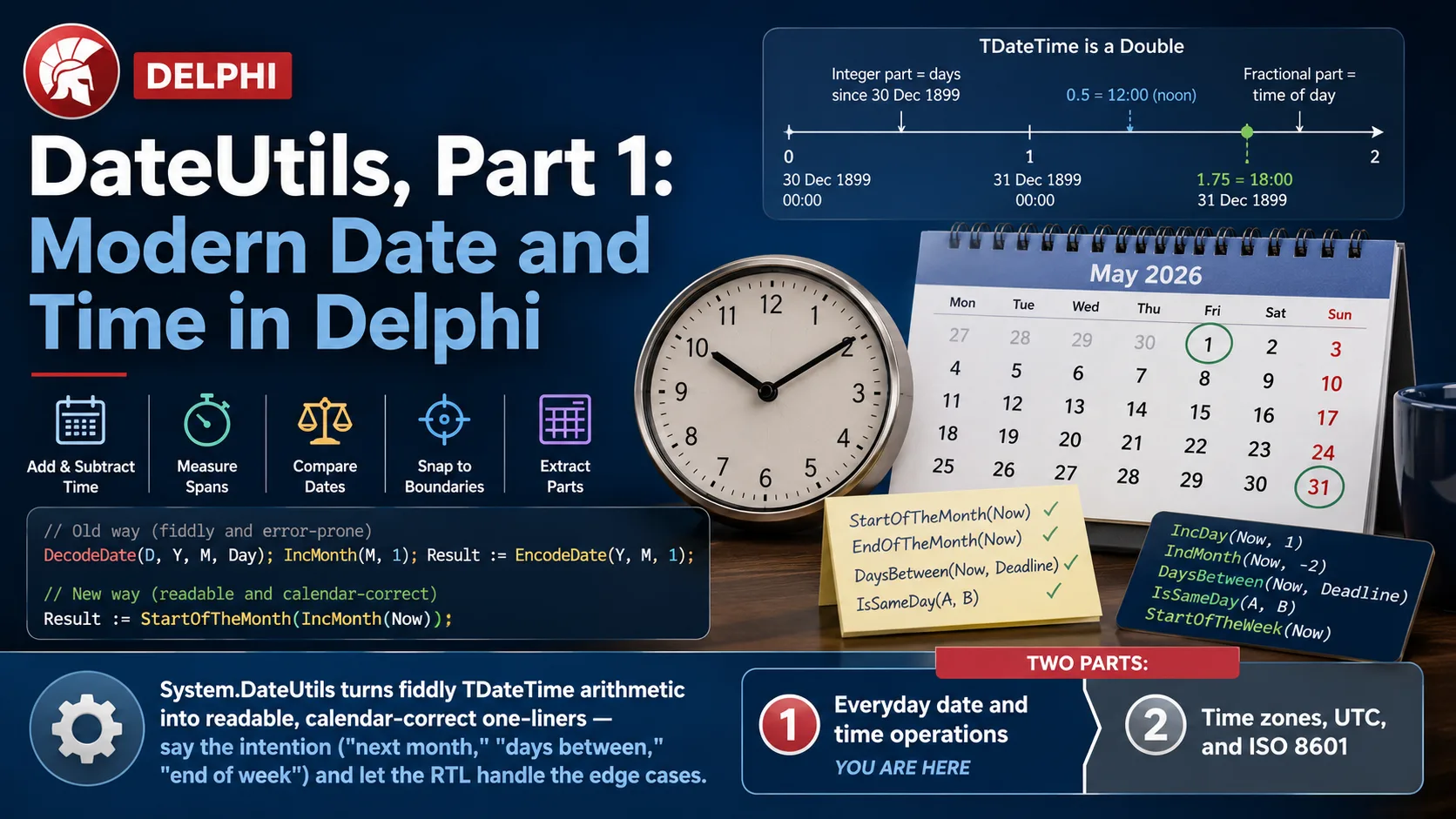
Date and time code has a way of quietly humbling even experienced developers. You need "the first day of next month," or "how many days until the deadline," or "the same time yesterday," and you find yourself reaching for DecodeDate, doing arithmetic on the pieces, worrying about month lengths, and reassembling with EncodeDate. It works — Delphi's TDateTime has been rock-solid since the beginning — but it's more ceremony than the problem deserves.
There's a better-kept secret in the RTL: the System.DateUtils unit. It's been there since Delphi 6, it's grown steadily over the years, and it turns most of those fiddly calculations into a single, readable function call. "First day of next month" becomes StartOfTheMonth(IncMonth(Now)). "Days until the deadline" becomes DaysBetween(Now, Deadline). No decoding, no reassembly, no off-by-one month math.
This is a two-part practical tour of DateUtils, paired old-way-vs-new-way as usual. Part 1 — this one — covers everyday date and time operations: understanding what a TDateTime really is, then adding and subtracting time, measuring spans, comparing dates, and snapping to boundaries like "start of the week." Part 2 tackles the genuinely hard part — time zones, UTC, and interchange formats like ISO 8601 — which is where date bugs go from annoying to expensive. Let's clean up your date code.
First, what a TDateTime actually is
A surprising amount of date confusion evaporates once you know the one fact underneath it all: a TDateTime is just a floating-point number. The integer part counts days since an epoch (midnight on 30 December 1899), and the fractional part is the time of day as a fraction of 24 hours. So 0.5 is noon; 1.75 is 6 PM on the day after the epoch.
The diagram explains a lot at once. Because a TDateTime is one number, adding 1 moves you forward exactly one day, and adding 1/24 moves you forward an hour — which is why the old-school arithmetic works at all. But it's also why hand-rolling it is error-prone: IncMonth can't be "add 30" because months differ in length. DateUtils exists so you never have to think about that again.
Recipe: add and subtract time
The classic way to add a day is to exploit the floating-point trick — Now + 1 — which is clever but opaque to the next reader, and falls apart the moment you need months or years. DateUtils gives every unit its own named function, and they read like plain English:
uses
  System.DateUtils;

var
  T: TDateTime;
begin
  T := IncDay(Now, 3);      // three days from now
  T := IncDay(Now, -1);     // yesterday (negative counts backward)
  T := IncHour(Now, 6);     // six hours from now
  T := IncWeek(Now, 2);     // two weeks out
  T := IncYear(Now, 1);     // this date, next year
  // IncMinute, IncSecond, IncMilliSecond round out the set
end;
Every IncXxx takes a negative number to go backward, so you never need a separate "subtract" function. And crucially, they're calendar-aware: IncMonth(EncodeDate(2026, 1, 31), 1) correctly lands on 28 February 2026, not some invalid "31 February." (IncMonth is the one that lives in SysUtils — worth knowing, since it's the one people most often try to fake with arithmetic and get wrong.)
Recipe: measure the span between two dates
Here's where the old approach really shows its age. Subtracting two TDateTime values gives you a Double count of days-and-fractions, which you then have to convert and round — and get the rounding right. DateUtils provides a XxxBetween function for every unit that returns a clean integer:
DaysBetween(StartDate, EndDate);      // whole days between
HoursBetween(Clock1, Clock2);         // whole hours
MinutesBetween(A, B);                 // whole minutes
MonthsBetween(A, B);                  // whole calendar months
YearsBetween(BirthDate, Now);         // a one-line age-in-years!
// plus WeeksBetween, SecondsBetween, MilliSecondsBetween
YearsBetween(BirthDate, Now) computing someone's age in one readable line is the kind of thing that used to be a small helper function in every codebase. Note the semantics, though, because they matter.
!!! warning ""Between" counts completed units — mind the boundaries"
These functions return the number of whole units elapsed, truncating the remainder. DaysBetween(Today10am, Tomorrow9am) is 0, not 1, because a full 24 hours hasn't passed. That's usually what you want for durations, but if you're thinking in calendar terms ("these are different days"), compare with CompareDate or IsSameDay instead — see the next recipes. Knowing which question you're asking — "how much time elapsed" vs. "are these different calendar days" — is the whole trick to bug-free date math.
Recipe: compare dates the way you mean it
Comparing TDateTime values with < and = compares them down to the millisecond — which is rarely what you want when a user asks "is the invoice dated today?" DateUtils gives you comparison functions that let you choose the granularity:
SameDate(A, B)/IsSameDay(A, D)— same calendar day, time ignored.CompareDate(A, B)— likeCompareValue, but only on the date part (returns -1, 0, or 1).CompareTime(A, B)— only on the time-of-day part.WithinPastDays(Now, Then, 7)— wasThenwithin the last 7 days?
if IsSameDay(Invoice.Date, Now) then
  ShowMessage('dated today');

if CompareDate(Deadline, Now) < 0 then
  ShowMessage('overdue');   // deadline''s date is before today
The value here is intent. IsSameDay says exactly what it checks; a raw Trunc(A) = Trunc(B) does the same thing but forces the reader to decode it. Code that states its intent is code that survives.
Recipe: snap to a boundary — start/end of day, week, month, year
This is my favorite corner of the unit, because the manual version is genuinely annoying to get right. "The last moment of this month" means knowing how many days the month has; "the start of this week" means knowing which day your week starts on. DateUtils has a matched set of StartOfTheXxx / EndOfTheXxx functions that handle all of it:
StartOfTheDay(Now);     // today at 00:00:00.000
EndOfTheDay(Now);       // today at 23:59:59.999
StartOfTheWeek(Now);    // Monday of this week, at midnight (ISO 8601 week)
EndOfTheWeek(Now);
StartOfTheMonth(Now);   // the 1st, at midnight
EndOfTheMonth(Now);     // the 28th/30th/31st, last millisecond — length handled for you
StartOfTheYear(Now);
EndOfTheYear(Now);
These are the building blocks for almost every reporting query you'll ever write. "All orders this month" is simply the range StartOfTheMonth(Now) to EndOfTheMonth(Now) — and EndOfTheMonth knowing whether that's the 28th, 30th, or 31st, in a leap year or not, is exactly the drudgery you want the RTL to own.
The diagram is the reporting pattern in one glance: two function calls bracket the entire month, and any timestamp in between belongs to it — no day-counting, no leap-year special case in your code.
Recipe: pull a date apart (when you actually need to)
Sometimes you do want just the year, or the day-of-week. Instead of DecodeDate (which fills three var parameters at once), DateUtils has clean single-value extractors:
YearOf(Now);            // 2026
MonthOf(Now);           // 8
DayOf(Now);             // 10
DayOfTheWeek(Now);      // 1 = Monday … 7 = Sunday (ISO 8601)
DayOfTheYear(Now);      // 222  (day number within the year)
DateOf(Now);            // the date part only, time zeroed
TimeOf(Now);            // the time part only, date zeroed
DateOf and TimeOf are quietly useful for stripping a timestamp down to just the half you care about — the tidy way to say "midnight of this date" is DateOf(SomeTimestamp).
The other side: when the classic functions are still the right call
Guarantee to the reader — DateUtils is about readability and correctness, not replacing everything. A couple of honest scopings:
- For raw performance in a very hot loop over millions of rows, direct arithmetic on the
Double(T + 1) is marginally faster than a function call. It's almost never worth the loss of clarity, but if you've profiled and it matters, the option is there. EncodeDate/DecodeDate(SysUtils) remain the right tool when you're building or destructuring a date from separate integer components —DateUtilscomplements them rather than replacing them.
The rule of thumb: reach for DateUtils when you're expressing a calendar intention ("next month," "same day," "days between"), and for the classic functions when you're doing component assembly or squeezing a measured hot path.
Takeaways
Part 1 aimed to make everyday date code read like the intention behind it. What to carry into Part 2:
- A
TDateTimeis oneDouble— whole part = days, fraction = time. That explains both why arithmetic works and why hand-rolling months/years is error-prone. IncDay/IncHour/IncYear(and SysUtilsIncMonth) add or subtract calendar-correctly; negatives go backward.DaysBetween/MonthsBetween/YearsBetweenreturn whole elapsed units (age in one line!) — but they count completed units, so mind the boundaries.IsSameDay/CompareDatecompare at the granularity you mean;StartOfTheMonth/EndOfTheMonth(and day/week/year) bracket periods without you counting days.
System.DateUtilsturns fiddlyTDateTimearithmetic into readable, calendar-correct one-liners — say the intention ("next month," "days between," "end of week") and let the RTL handle the edge cases.
Everything so far assumed one implicit thing: that all your dates live in the same time zone. The moment they don't — a server in UTC, users across the globe, a timestamp from an API — a new class of bug appears. Part 2 is all about handling it correctly: TTimeZone, converting to and from UTC, and the interchange formats (ISO 8601, Unix time) that keep dates unambiguous across systems. That's where date handling gets genuinely important. See you there.